
Email Domain Health Check · by Clasp Security

Find out if your business email is set up right, and what needs attention.

Clasp Security looks at your domain's live email records, spots what's missing or doesn't match, and gives you a plain-English assessment: a status for each one and what needs attention. We check your live records, not general advice.

How it works

1

Enter your domain

Choose a plan and enter your domain and the email address where you want your report.

Enter the email address where you want your report.

2

Get your assessment

We check your domain's live email settings and show you, in plain English, whether criminals can send email pretending to be you, whether your mail is set up to reach inboxes, and what needs attention.

3

Act on it

Hand your assessment to whoever runs your email, or choose Assisted Fix: Standard for a live guided session with a Clasp specialist while you make the changes.

See what you get

Your assessment shows your own results, a plain-English status for each item, and what needs attention.
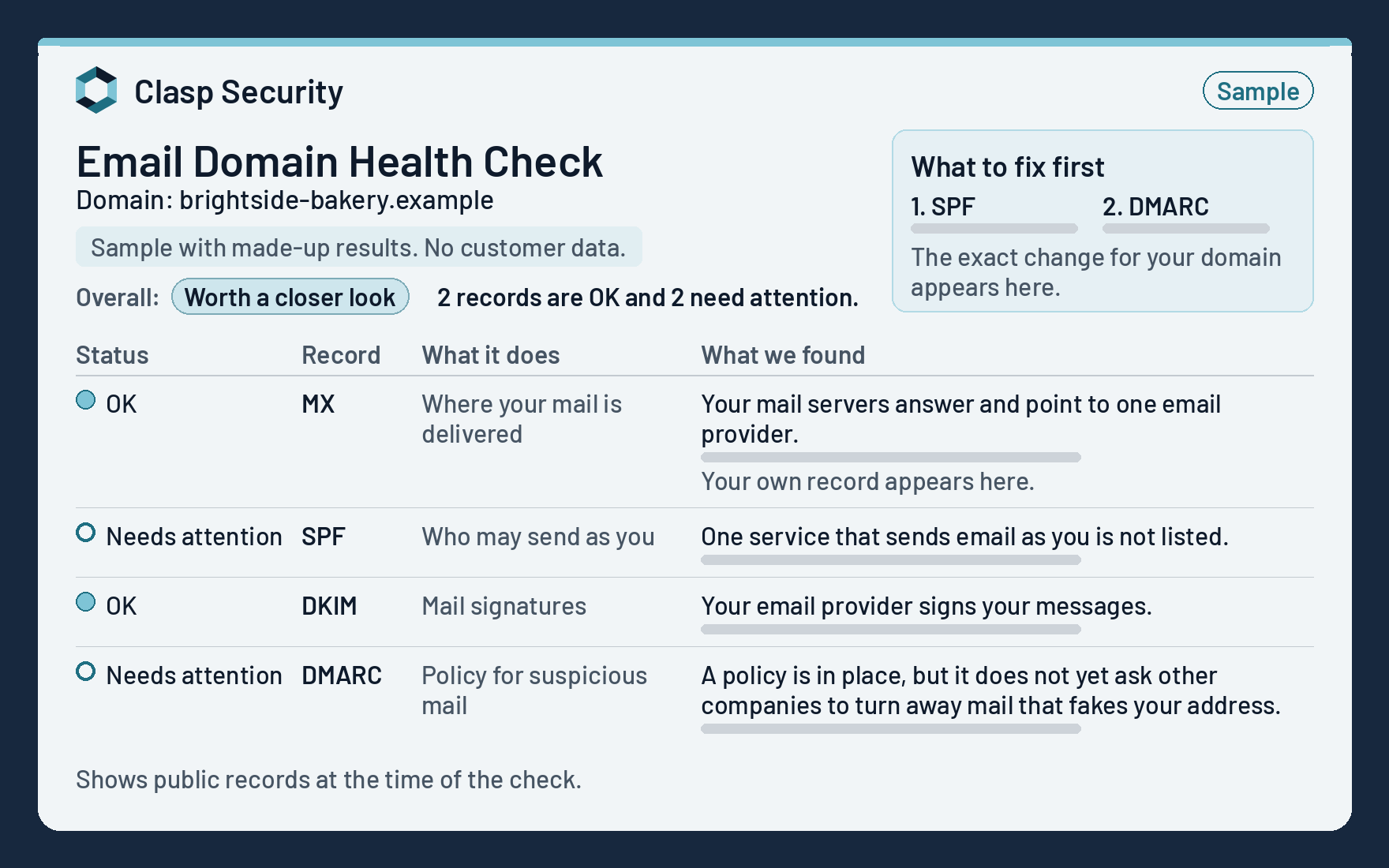
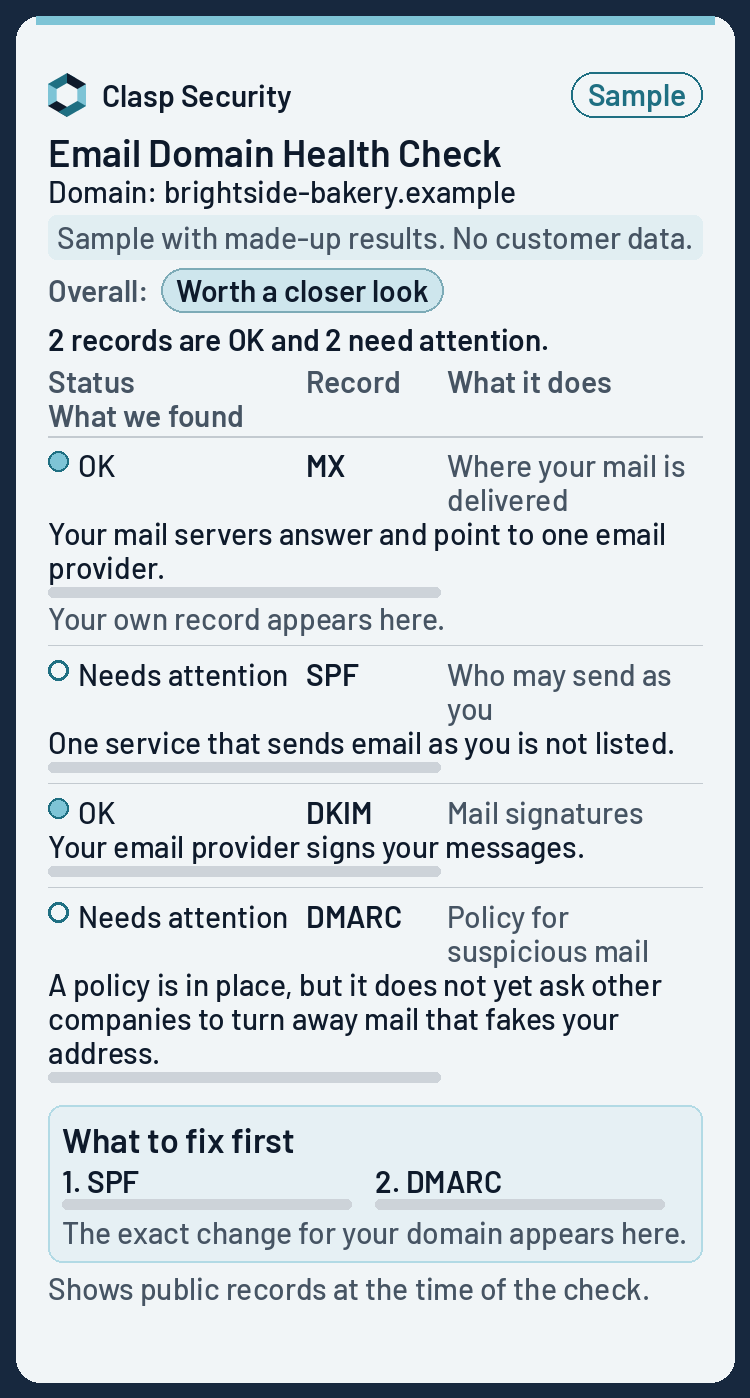
Sample Clasp Security assessment for a made-up domain, showing a plain-English status for each item and what needs attentionSample Clasp Security assessment for a made-up domain, shown on a phone

Sample assessment for a made-up domain. No customer data.

We check your live records, not general advice.

Who it is for

Built for teams that need a clear picture of their email setup before they change DNS, answer a questionnaire, or chase another “did you send this?” message.

Owners and office managers

You keep hearing that mail is going to spam, or you see unexplained bounces after a Microsoft 365, Google Workspace, or new-domain move.

Teams hit by spoofing

Someone received a forged message that looked like it came from your domain, or coworkers ask whether a suspicious email was real.

Finance, HR, and executives

You want stronger resistance to invoice or payroll impersonation that abuses your company domain name.

Insurance and vendor questionnaires

Cyber insurance or customer security forms ask whether your email is protected against impersonation, and you need a clear baseline in writing.

Agencies and IT providers

You need a plain-language assessment before touching a client’s DNS, so recommendations are clear and scoped.

Teams tightening their email settings

You plan to stop forged mail that uses your domain and want to know where you stand first.

What we check

Correct setup is not an inbox promise. It does strengthen how receiving systems verify legitimate mail and how you limit domain abuse.

Can criminals pretend to be you?

Whether criminals can send email pretending to be your business, and what needs attention to make that harder.

Is your mail set up to reach inboxes?

Whether your domain is set up so the companies receiving your email can trust that it really came from you.

Spot settings that can hurt your domain's reputation

Clear authentication reduces unauthorized senders who abuse your domain name and damage how providers treat your mail.

Consistent trust signals

Many receiving providers weigh authentication when deciding how much to trust a message. Stronger signals help; they are not an inbox promise.

A clear baseline

Your assessment gives you and your IT provider the same clear picture of your email settings, ready for vendor and insurance questionnaires.

When you add new tools

When you add a tool that sends email as your domain, a fresh check shows whether your settings still match.

Plans

Choose a One-time Scan for $30 (exactly one scan, paid once), or the Scanning Plan for $100 a year (12 scans a year: one when you sign up, then one every month). There are no monthly bills and no sales tax. Available to buyers in the United States.

One-time Scan

$30one-time

Know where your email settings stand and exactly what to fix first.

  • Exactly one scan of one domain
  • Plain-English assessment, sent by email
  • Exact changes, in priority order

Enter the email address where you want your report.

Get the One-time Scan

Scanning Plan

$100a year, paid up front

12 scans a year: one when you sign up, then one every month. Each plain-English email shows what changed, whether from a new app, a well-meaning edit or someone who shouldn't have access.

  • 12 scans a year: one when you sign up, then one every month
  • Recommendations with every check
Get the Scanning Plan

Scanning Plan + Domain Registration Monitor

$136a year, paid up front ($100 Scanning Plan + $36 monitor)

The Scanning Plan (12 scans a year: one when you sign up, then one every month) with Domain Registration Monitor added and billed with it each year. We check your domain's public registration record every day and email you when we see a change: the expiry date, the lock that blocks transfers, the nameservers that point your website and email, or the owner details. Domain Registration Monitor is not sold on its own.

  • Everything in the Scanning Plan: 12 scans a year
  • Registration checked every day, with an email alert when we see a change
  • Some owner details are hidden in public records, so we may not see every change
Get the Scanning Plan + monitor

Want Domain Registration Monitor too? Choose the Scanning Plan + Domain Registration Monitor for $136 a year ($100 + $36). It can't be added at the Scanning Plan checkout, and the monitor is not sold on its own.

Assisted Fix: Standard

$100one-time

Fix your email settings with a Clasp Security specialist guiding you.

  • Includes a rescan to confirm
  • One live session, about 30 minutes
  • You make each change yourself
Order Standard

Assisted Fix: Encryption Enforcement

$150one-time

We help you set up encryption enforcement on your own email. We guide the setup. We don't encrypt your email.

  • Two live guided sessions
  • Each session 30 minutes or less
  • Use our Hosted Email Encryption Enforcement or your own setup
Order Encryption Enforcement

Assisted Fix: Advanced

$200one-time

Standard and Encryption Enforcement together, in two sessions.

  • Includes a rescan to confirm
  • Email settings, plus help setting up encryption enforcement on your own email
  • Use our Hosted Email Encryption Enforcement or your own setup
Order Advanced

Hosted Email Encryption Enforcement

$100a year, paid up front

We don't encrypt your email, and we don't host it. Your email stays with your current email provider. What we host is your domain's policy: a small file that tells other mail servers to require encrypted delivery when they send email to you. You add 3 records at your DNS host once. The policy starts in testing mode, which is designed not to change how your email arrives while we check your setup. About 14 days in, we meet with you online to review the results and, with your approval, move you to enforce mode. You book that meeting with the link we email you.

  • We set up and host your policy, not your email
  • We check every day that your mail setup still matches the policy
  • We email you if your mail setup stops matching the policy

Read the Hosted Email Encryption Addendum

Get Hosted Email Encryption Enforcement

Plan details

How billing works

  • The One-time Scan is $30, paid once, for exactly one scan. You pay today.
  • The Scanning Plan is $100 a year, paid up front, and includes 12 scans a year: one when you sign up, then one every month. It renews each year until you cancel.
  • You can cancel your renewal anytime online. To stop the next renewal, cancel by 11:59 p.m. Central Time on the day before your current year ends. There is no refund for a partial year, except as our Terms provide.
  • Domain Registration Monitor is $36 a year and is sold only together with the Scanning Plan, as the Scanning Plan + Domain Registration Monitor for $136 a year. It can't be added at the Scanning Plan checkout. It is billed yearly with the Scanning Plan, renews and is cancelled with it, and is not sold on its own.
  • Hosted Email Encryption Enforcement is $100 a year, paid up front, for one domain. It starts in testing mode, which is designed not to change how your email arrives while we check your setup. About 14 days in, we meet with you online to review the results and, with your approval, move you to enforce mode. You book that meeting with the link we email you. For now, enforce mode is available only if your mail is with Microsoft 365 or Google Workspace; other mail hosts stay in testing mode. It renews each year until you cancel. Cancel your renewal by 11:59 p.m. Central Time on the day before the current year ends.
  • Clasp Security sets up, hosts and manages your domain's encrypted-delivery policy, the small file that tells other mail servers to require encrypted delivery when they send email to you, with a daily check. We do not encrypt your email, and we do not host your email or your website. Your email stays with your current email provider. This is not the same as Assisted Fix: Encryption Enforcement (the guided setup sessions). Email support and troubleshooting are not included; your mail provider and IT team remain responsible for your email.
  • Each plan covers one domain. The One-time Scan does not include Assisted Fix. All sales are final at purchase, except as our Terms provide.

How Assisted Fix works

  • Sessions are live and online. You use your own accounts. We never ask for passwords.
  • An administrator or IT provider who works for your organization may join the session if they hold the logins. Ordering remains for your own organization only.
  • Assisted Fix: Standard is one session of about 30 minutes, plus a follow-up if needed, and a re-check to confirm the work.
  • Assisted Fix: Encryption Enforcement uses two sessions of 30 minutes or less each. Assisted Fix: Advanced uses a first session of 45 minutes or less and a second of 30 minutes or less. The second session is held after at least 14 days in testing mode.
  • The One-time Scan is sold separately from every Assisted Fix.
  • Hosted Email Encryption Enforcement (we host your encrypted-delivery policy, not your email) is optional for encryption sessions; you may host the policy on your own web hosting instead. It is not website hosting.
  • Assisted Fix: Encryption Enforcement and Advanced use Clasp's Hosted Email Encryption Enforcement, or a policy you host yourself on capable web hosting, with a website administrator.
  • Works with Microsoft 365 and Google Workspace mail at first.
  • Not included in Assisted Fix: Standard: web pages, website hosting and redirects.
  • You may reschedule a session once with at least 24 hours' notice.

Timing

  • Your assessment comes by email, to the address you enter at checkout. We send the Assessment Email only to that one address.
  • On the Scanning Plan, you get 12 scans a year: one when you sign up, then one every month. An assessment email follows each scan.
  • Before each year renews, we email a renewal reminder at least 31 and not more than 38 days before the renewal date.
  • If you need the report sent to a different address, write to support@claspsec.com.

Order only for your own organization that owns or controls the domain on your order. You must be the owner, or authorized personnel of that organization, with authority to bind it. You may not order for another company. When you order, you confirm that you are authorized to request a check of the domain you order. Your report can go to any email address you control. It does not need to be an address on that domain. For Assisted Fix, someone with administrator access to your domain's DNS settings and to your email provider's admin console must join the session and sign in. This can be you or an administrator you choose. For Hosted Email Encryption Enforcement, you add the records we email you at your DNS host, so you or someone you choose needs access to your DNS settings.

Clasp Security services on this site are available to buyers in the United States.

What this is / is not

This is

A check of your domain's live email settings, explained in a plain-English assessment: whether criminals can send email pretending to be you, whether your mail is set up to reach inboxes, and what needs attention.

This is not

  • A promise your mail will always hit the inbox
  • “Full email security”
  • SOC or compliance certification
  • A cold-email sending platform
  • A service that asks for your passwords

FAQ

Can I use my Gmail or personal email?

Yes. Your report can go to any email address you control, including a personal address such as Gmail or Outlook.com. It does not need to be on the domain you order. If you ask us to check a free email domain you use, such as gmail.com or outlook.com, we still email you the results. That provider controls those settings, so any changes would have to be made by the provider. You can't make them, and neither can we.

Do you need my passwords?

No, never. We don't ask for, collect or store any passwords. In an Assisted Fix session, you sign in to your own accounts on your own screen and make each change while we guide you. The check itself needs no login at all.

Will this make sure my email reaches the inbox?

No. Getting these settings right gives Gmail, Microsoft, and others stronger reasons to trust your email, but each makes its own filtering decisions. No one can honestly promise inbox delivery.

Is this full email security or a compliance certification?

No. It checks how your domain proves its email is genuine and explains what we found. It isn't a complete email security program, and it isn't SOC or any other compliance certification.

How do I get my results?

Your assessment comes by email, to the address you enter at checkout. We send the Assessment Email only to that one address. Assisted Fix: Standard: most changes are made during your guided session of about 30 minutes.

Can my IT provider see my results?

Yes. You can share your assessment with your IT provider or web designer.

What happens to my email if Hosted Email Encryption Enforcement has an outage?

This applies only if you buy Hosted Email Encryption Enforcement. Your email still goes to your email provider, because we're not in the path it takes. What we host is a small policy file that tells other mail servers to require encrypted delivery when they send email to you. If that file can't be reached, mail servers with no saved copy of your policy are designed to deliver your email the ordinary way. Mail servers that already saved a copy keep following it until it expires: 1 day in testing mode, 7 days in enforce mode. Email you send is not designed to be affected. During an outage we hold all changes to your policy until we're back, so please don't change email providers while we're down.

Who provides this?

Clasp Security is based in Houston, Texas. Charges appear on your statement as “CLASP SECURITY.” Questions? Email support@claspsec.com.

Email basics for business owners

Is my business email safe from spoofing?

It depends on your domain's settings. Spoofing is when someone sends email that pretends to come from your business. Email was not built with a way to prove who sent a message, so anyone can type your address into the From line. Three settings on your domain, called SPF, DKIM and DMARC, let services like Gmail and Outlook check whether a message really came from you. With DMARC set to quarantine or reject, those services can send fake messages to spam or refuse them. No setting stops every scam, but these make it harder for someone to pass as your domain.

What is DMARC?

DMARC is a short public record on your domain. It tells receiving mail services what to do with email that uses your domain but fails SPF and DKIM checks: deliver it anyway (a policy of none), send it to spam (quarantine) or refuse it (reject). It can also ask those services to send you reports about who is sending email in your name, so you can spot tools you forgot about before you tighten the policy.

What are SPF and DKIM?

SPF is a public list of the services allowed to send email for your domain, such as Google Workspace, Microsoft 365 or your newsletter tool. DKIM adds a digital signature to each message so the receiving service can check that it came from your domain and wasn't changed on the way. DMARC builds on both: a message passes when SPF or DKIM passes and matches the domain in the From line.

Why do my emails go to spam?

Each mail service makes its own filtering decisions, so there is rarely one cause. Common ones are missing or broken SPF, DKIM or DMARC settings, sending from a tool that isn't included in your SPF record, many people marking your messages as spam, and links or wording that look like spam. Gmail has required every sender to set up SPF or DKIM since February 2024, and large senders to Gmail and Outlook.com must also have DMARC. Fixing your settings gives these services more reason to trust you, but no one can honestly promise inbox delivery.

Do I need IT skills to fix this?

No. Your assessment explains each item in plain English and lists the exact records and steps, in priority order. You make the changes where you manage your domain, usually your domain registrar or DNS host. If you'd like help, an Assisted Fix is a live guided session where you sign in to your own accounts on your own screen and make each change while we walk you through it. You can also forward your assessment to your IT provider or web designer.